What's on my home screen? 📱
Home screens are naturally very personal. It’s your space to optimise (or not optimise) everything exactly as you need, add some colour, take colour away, make things bigger, remove labels or add in custom icon packs! The world is your oyster! But this time it’s going to be my home screen. I love to see people’s home screens so hopefully you’ll all enjoy seeing mine and why I’ve organised it the way I have.
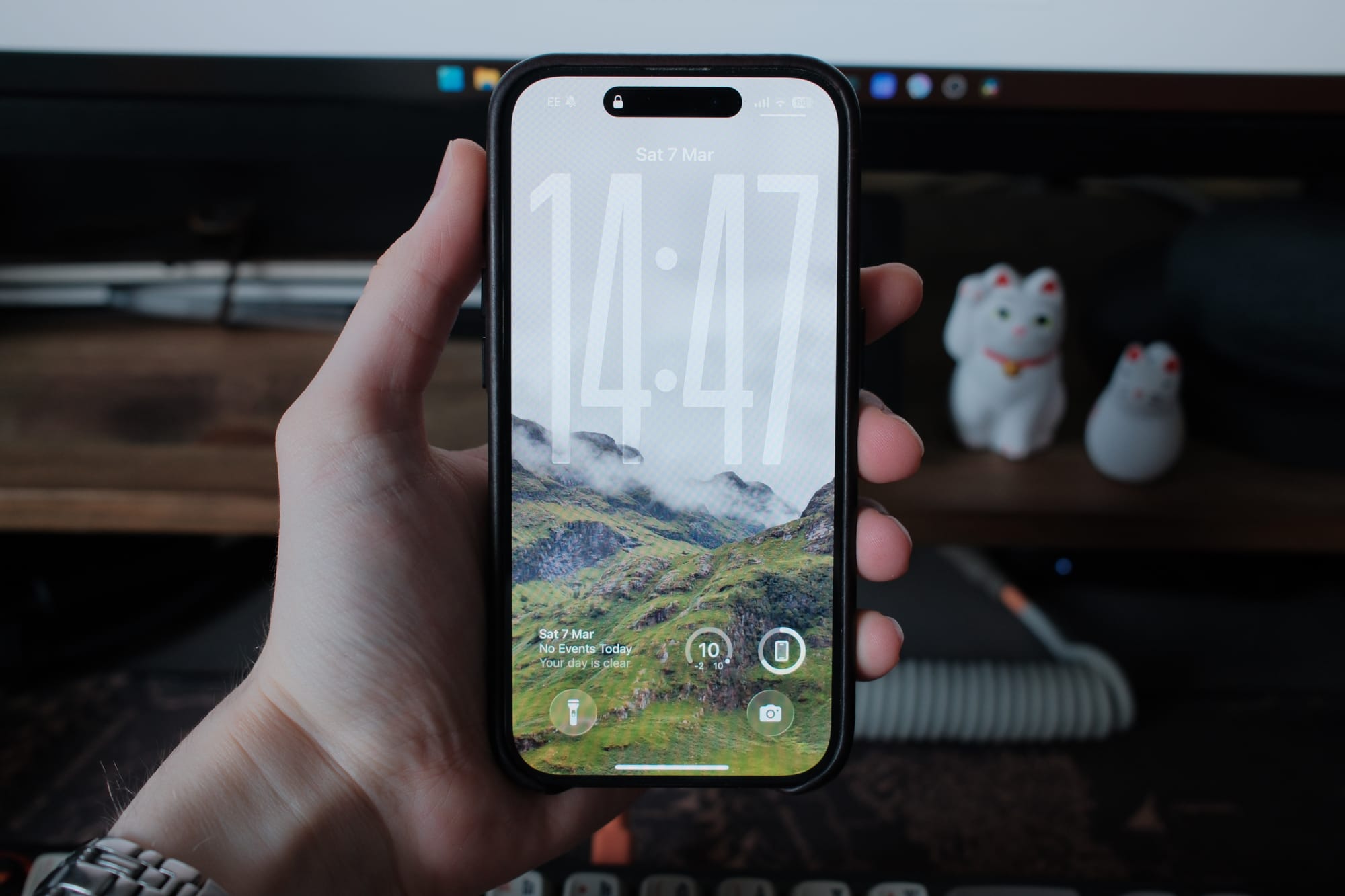
To start I should probably talk about my lock screen. Liquid glaaaass, love it or hate it I’ve decided to embrace it here on my lock screen extending the clockface down from the sky and into the mountains of Glen Coe. I have a couple of widgets, calendar to show upcoming events, temperature and then my phone battery percentage. As for my quick actions I keep the flashlight and camera there as tools I can quickly get access to when needed.
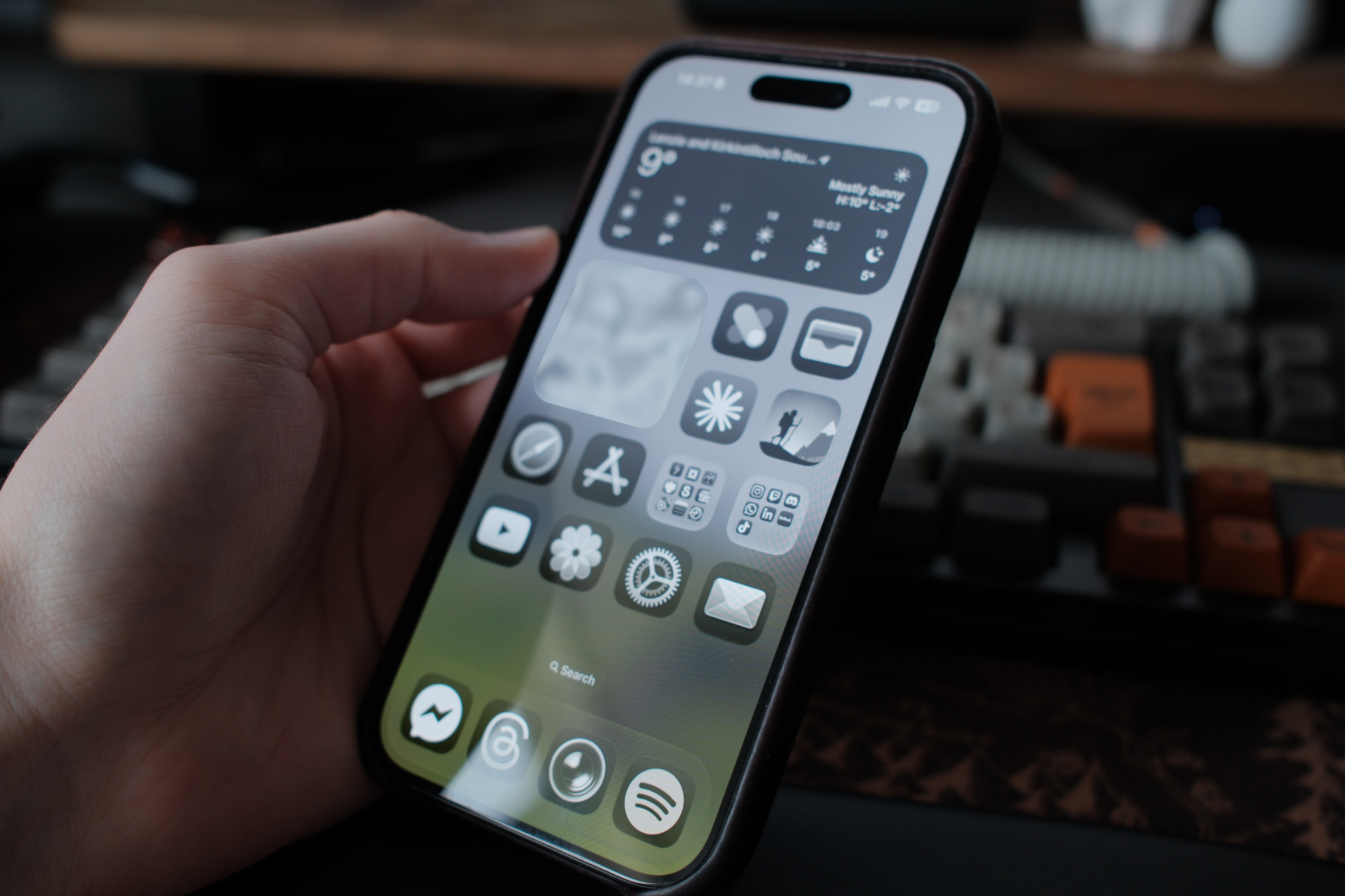
First the philosophy of my home screen, I’ve explored hyper minimal screens with barely any apps and mega home screens with more than 1 page. But as I’ve gone through iterations and different phones from Android to iOS, I’ve landed on something that I think is quite simple. Just all my most used apps 1 tap away on one page, sprinkling in some widgets with some info and personality. The problem I had with hyper minimal home screens was I was constantly going into my app drawer/library or searching for apps I needed, or going into folders. This didn’t work and I realised there were a core few apps that I used every day or every week and really I should have these on my home screen. Colour, coming from Nothing I enjoy the black and white aesthetic and I like to find it helps with reducing the time I spend on my phone and from brands being able to advertise with their logs flashing on my home screen. Labels are another, I know what the app is, so I just get rid of them, it’s extra clutter and I find them unaesthetic.
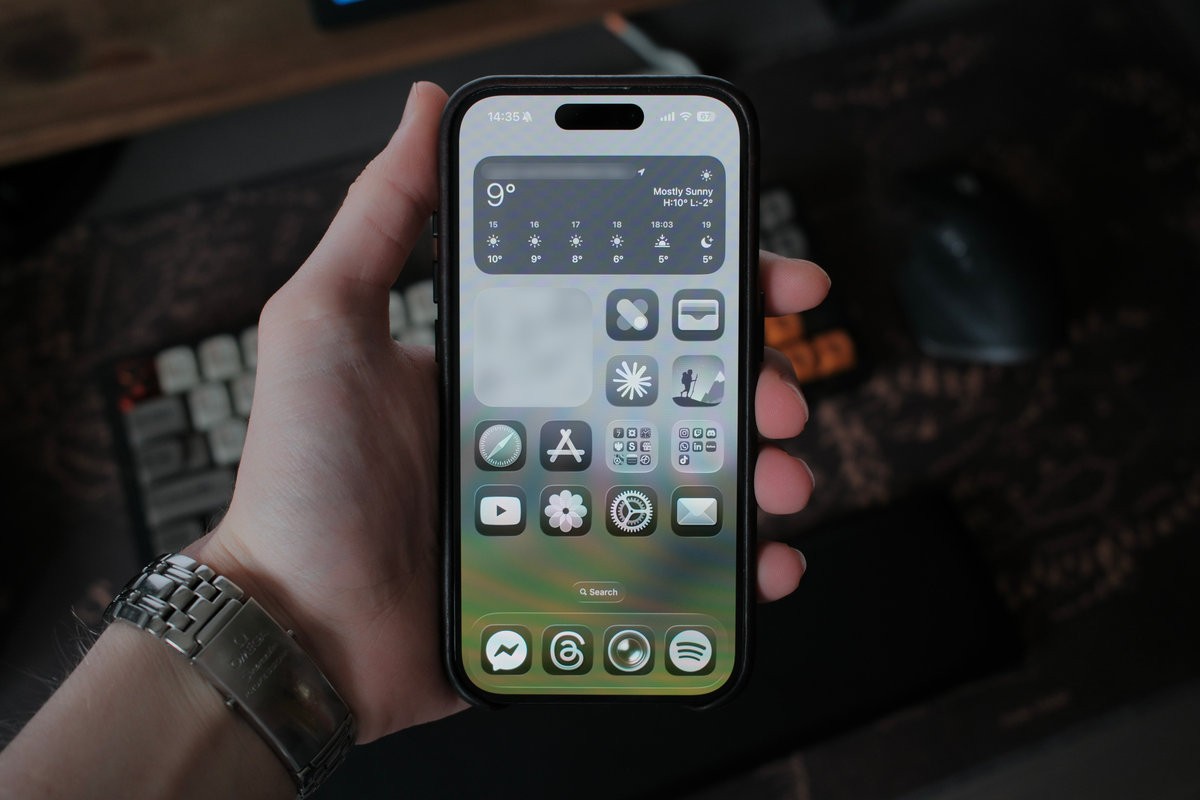
Now for the good stuff and our first section. Starting off with the weather widget, this is the stock Apple weather app. It gives me a clear view of the current weather and the weather in the next few hours and if I need more info I can just tap the widget to open the app. Following this we have 5 more apps. First is photos, this is a nice widget that regularly cycles through portraits of people and memories within the Apple photos app. Something personal and is nice to see photos cycling through. Next up we have the Nothing X app, I use this to update my Headphone (1)s and to adjust EQ. Next is the wallet app, maybe controversial as I know you can double tap to open the wallet app on the power button but for me I prefer being able to open the wallet via the app. Claude is my AI tool of choice, I find it works best for me when I use it and plus the recent drama with Open AI makes it an even clearer choice. Finally, fantasy hike, this one is fun, this is a great app that tracks how far you’ve walked and how long it will take you to reach the ‘Mount of Fire’ instead of Mount Doom. The app replaces most of the landmark and character names for something else but it doesn’t take away from the experience. If you’re a Lord of The Rings fan I’d definitely check it out.
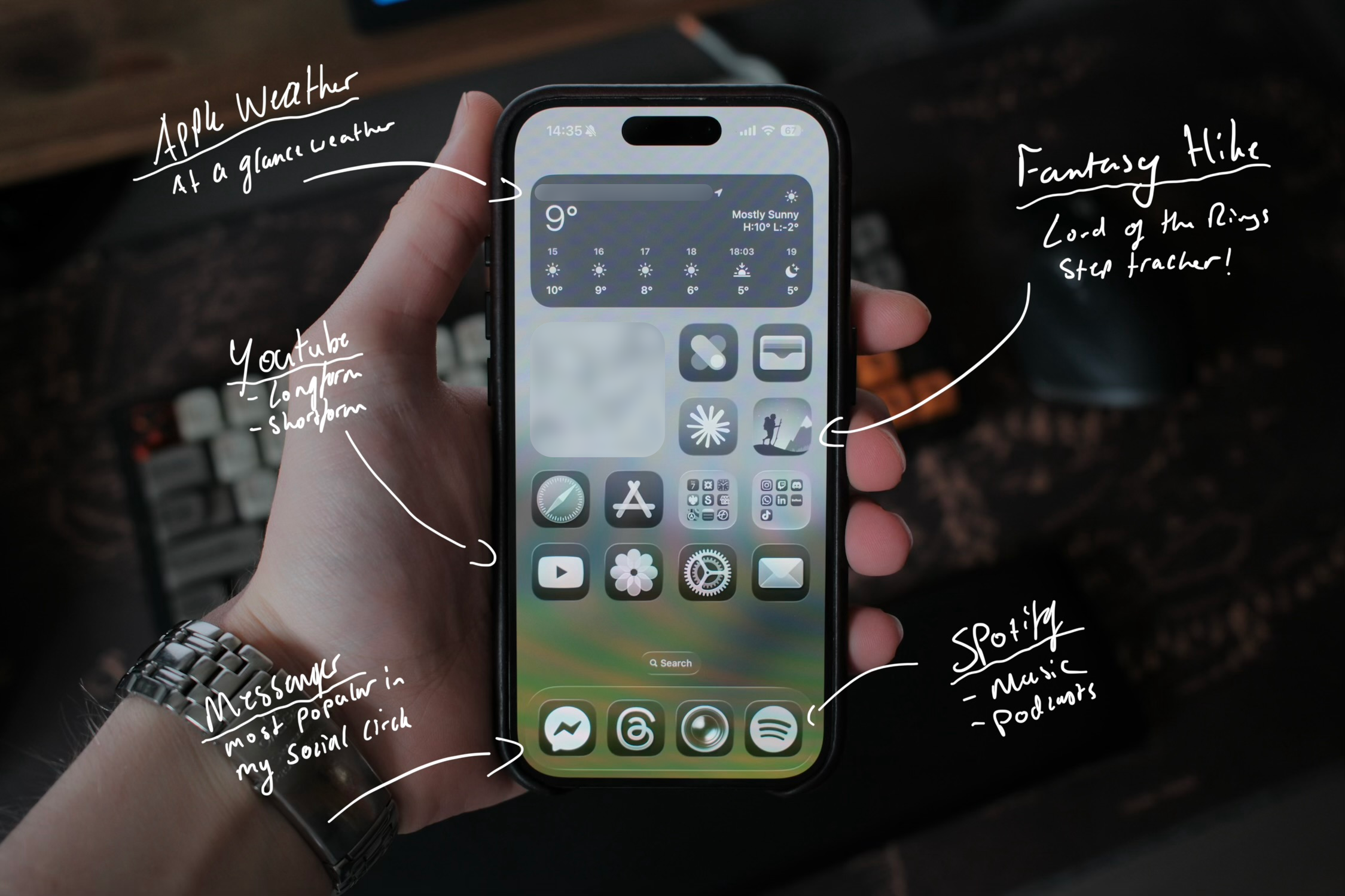
Section two, is a bit more practical. Safari is my current browser of choice, for my iPhone. I’ve experimented with Arc, Brave and others but for now I’m back on Safari due to the convenience of linking with my iPad. The app store is next for obvious reasons. But after that we have two folders, these are exceptions to my one tap rule, within these folders are apps I still use on a daily basis or weekly. I won't go through them all as there are many but to summarise it’s mainly banking apps and social media with a mix of calendars and note taking apps. Below these though we have YouTube, again a bit obvious but if I’m looking for some time to kill it’s going to be on here. Photos might seem odd as I have the Photos Widget, if I tap the photos widget it will open the photos app specifically on the photo it’s displaying in a featured folder, which I don’t want when I open the app. For this reason I have the app again on my home screen so I can open the app at the start of my library. Settings are up next, and are likely obvious. Finally mail, the default Apple mail app, I have lots of issues with this app, mainly that it won’t fetch my mail accurately and let me know when I have an email. But I still use this over GMail as I don’t want ads within my mail app. My mail app of choice is something I really need to explore more.
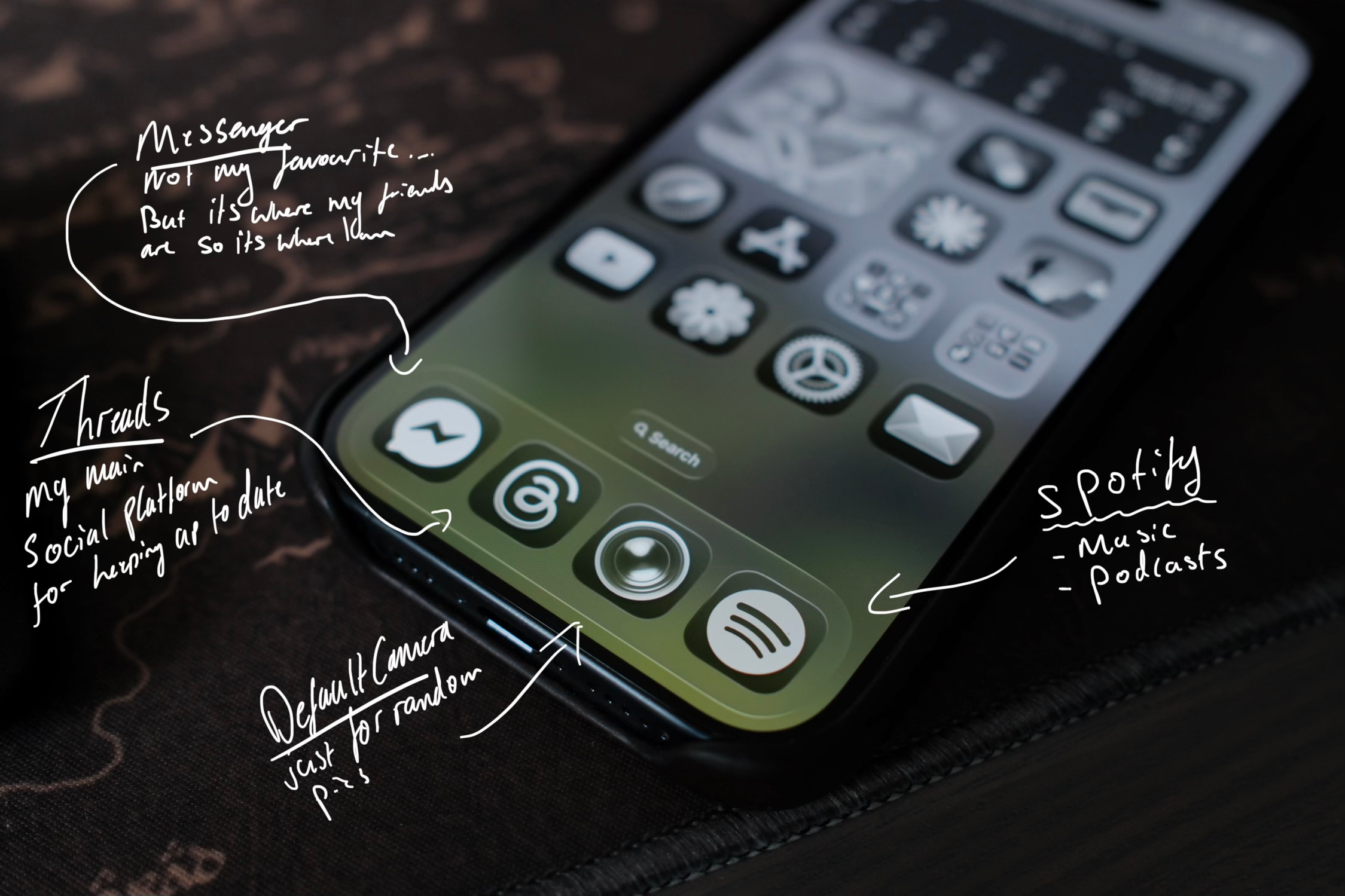
Finally my dock. People are very precious about their docks and I feel the same. Despite only having one page on my home screen I still want my most accessed apps to be here on this row. First is messenger, my social circle are embedded in messenger so that’s why it’s here… If it was up to me I would be using the default messaging app here with iMessage and RCS group chats or at the very least Whatsapp (higher quality photos). I dislike messenger for a couple of reasons such as ads within the app (which aren’t always present) and its obtrusive AI features but I don’t think I’ll be able to shake this one easily. Threads is up next, it used to be X (Twitter) here but that place has become a mine field, so Threads is now my go to social platform for posting nonsense and reading nonsense. The camera app lands next for quick and easy access followed by Spotify as my music player of choice. The social features on Spotify make it unbeatable in my opinion but recently it is starting to feel a bit bloated in regards to music, podcasts, books and AI features… So watch this space as if it keeps up I might try Apple Music again.
So there you have it, my current home screen setup! On occasion I play around with switching out certain apps but for the most part the structure will always stay the same. Hopefully this has inspired you to think about your home screen and how you can customise it for yourself and maybe even given you some insight into how my brain thinks. Now I want to know what’s on your home screen?